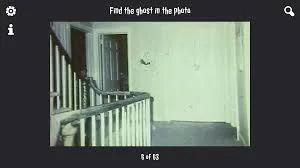
Find The Ghost In The Photo
About Find The Ghost In The Photo: Review, Story & Gameplay
Find The Ghost In The Photo is a hidden-object visual horror puzzle for players who enjoy noticing what everyone else misses. Each round presents a photograph with one ghost hidden somewhere in the frame. The image may look like an ordinary room, street, family scene, or dark corner, but one detail does not belong. Your goal is simple to understand: find the ghost in the photo, click or tap the correct area, and move on to the next picture. The difficulty comes from making a careful observation instead of guessing at the first suspicious shadow.
One Ghost in Every Photo
The key rule is that each photo contains one ghost. That makes the game closer to a focused visual search than a traditional escape room. Start by scanning the whole image, then divide it into zones: foreground, background, left edge, right edge, ceiling, floor, reflections, and deep shadows. Look for a face, silhouette, hand, reflection, or body shape that is not explained by the scene. A ghost can be small, partially hidden, or blended into a texture, so the first obvious object is not always the answer.
Zoom In and Compare Details
The most useful strategy for this photo puzzle is to zoom in when the screen allows it. Inspect windows, mirrors, curtains, dark doorways, furniture gaps, and areas behind the main subject. Compare repeated objects as well: two chairs may look similar until one contains an impossible shadow, and two windows may have different reflections. If the browser build does not offer a dedicated zoom button, use the visual scale of the image and move the cursor or touch point carefully rather than relying on a random click.
Why the Tension Works
There is no inventory, combat system, or long map to learn. The pressure comes from uncertainty and the moment of recognition when a hidden figure suddenly becomes visible. Short photo rounds make Find The Ghost In The Photo easy to replay, while the quiet presentation gives small anomalies more impact. It is a good match for hidden-object fans, observation games, and players searching for a visual horror game they can finish in short sessions.
Tips for Finding the Ghost
Read the scene before searching for a monster. Check the borders first, then inspect faces, mirrors, windows, shadows, and objects that seem slightly out of scale. If you miss, remember the exact area you clicked and compare it with nearby details on the next attempt. Avoid sweeping across the whole image without a plan: a zone-by-zone scan is faster and gives you a better chance of spotting the one ghost in each photo. Play with sound on if the game uses audio feedback, and use touch or mouse input according to the prompt shown by the browser version.
How to Play Find The Ghost In The Photo
How to Play:
- Wait for the photo to load and identify the full scene before clicking.
- Scan the image in zones: foreground, background, edges, corners, and dark spaces.
- Look for the single ghost in the photo, including faces, silhouettes, reflections, and shadows.
- Zoom in or use the browser's visual scale when a detail is too small to read.
- Click or tap the suspicious area when you are confident it contains the ghost.
- If the answer is wrong, compare the selected area with nearby details instead of guessing again.
- Complete the photo sequence and replay difficult rounds to improve your observation.